Four Unique Functions of Nintendo Switch Joy-Con Controllers
Introduction to Joy-Con Capabilities
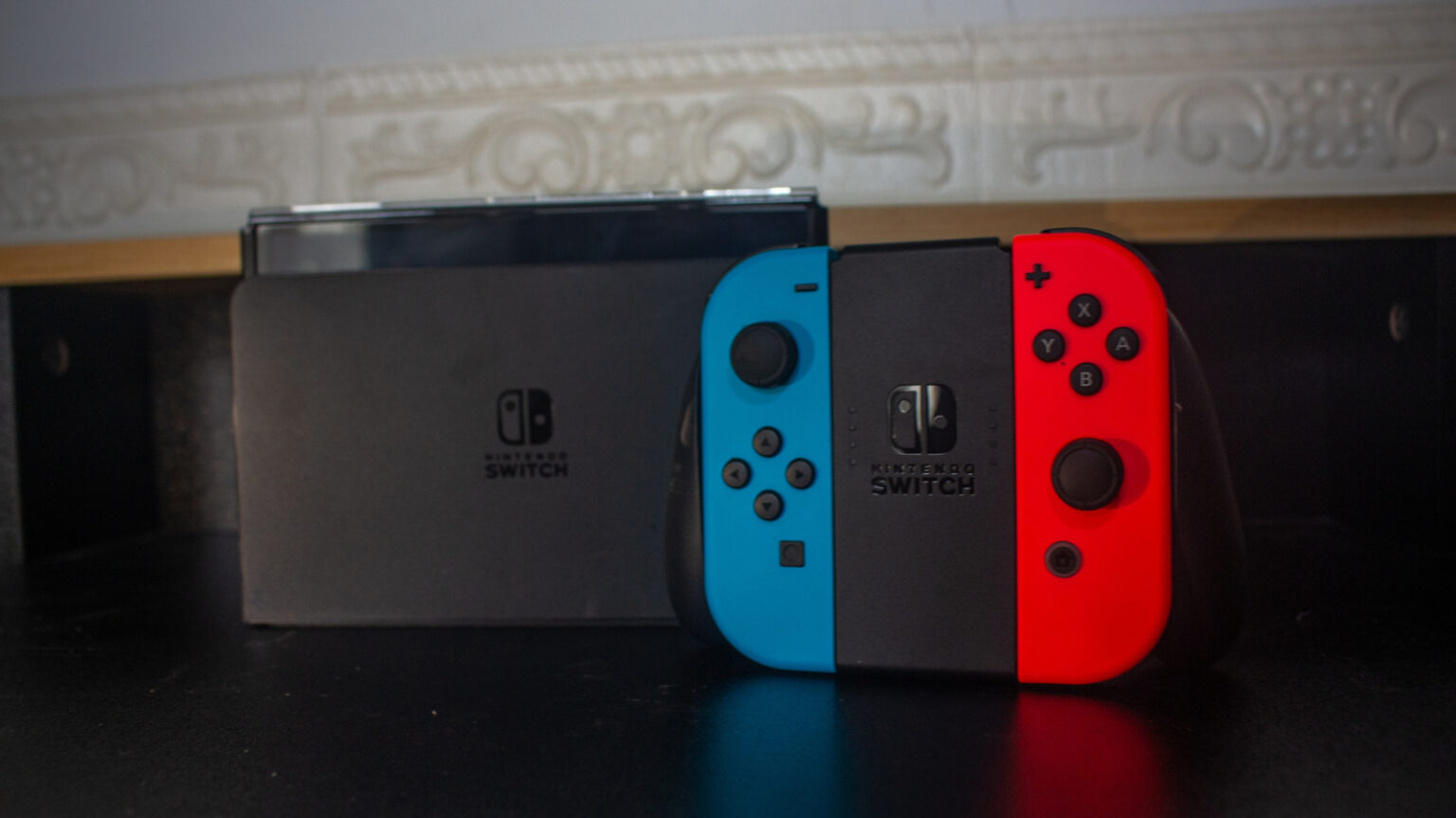
Since its release in 2017, the Nintendo Switch has gained popularity not just for its ability to alternate between handheld and docked gaming with detachable Joy-Con controllers, but also for its innovative features. Beyond gaming, these Joy-Cons are equipped with technology that allows for various practical applications, making them versatile tools even outside of the gaming environment.
Utilizing Motion Detection
A standout feature of the original Joy-Con controllers is the infrared (IR) motion camera built into the right Joy-Con. This IR camera emits invisible infrared beams, which have been utilized in games such as “1-2 Switch” and “WarioWare: Move It,” as well as the cardboard constructs of the Nintendo Labo system. The camera can detect the movements of reflective stickers and convert them into motion inputs, showcasing its adaptability.
For those who still have the right Joy-Con, its IR camera can be repurposed as a motion sensor for home security. A $10 application available on the Nintendo eShop, called “Spy Alarm,” allows users to set the Joy-Con R on a flat surface. If the IR beam is disrupted by movement, the Switch will sound an alarm, providing an added layer of security to prevent unauthorized access, particularly in personal spaces.
Locating Misplaced Controllers
Another significant feature associated with the Joy-Con controllers is the dynamic HD rumble technology. This advanced form of vibration feedback enhances the gaming experience by providing precise and targeted sensations related to gameplay. In games like “The Elder Scrolls V: Skyrim,” players can feel the in-game elements through the Joy-Con.
This HD rumble feature also serves a practical purpose when locating misplaced controllers. Utilizing the Nintendo Switch settings, players can activate the HD rumble feature to produce an audible tone from the lost Joy-Con, assisting in its retrieval. While this requires the Joy-Con to be within proximity of the Switch, picking up the console and searching around the house can effectively help find a misplaced controller.
Pairing with Smartphones
Distinct from prior Nintendo console controllers, Joy-Cons connect via Bluetooth, allowing them to be paired with various devices, including smartphones. By unpairing them from the Switch, users can connect Joy-Cons to Bluetooth-compatible devices such as Android and iPhone smartphones.
This capability allows the Joy-Con to be employed as a gaming controller for mobile games or as a remote shutter for the phone camera, facilitating easier photos without awkward positioning. However, it is important to note that only individual Joy-Cons can be paired to a smartphone, and specific functions like camera control are limited to the buttons of the right Joy-Con and the analog stick of the left Joy-Con.
Playing on PC and Functioning as Peripherals
The versatility of Joy-Cons extends to compatibility with PCs through Bluetooth connections. For users who prefer gaming on a PC, Joy-Cons can serve as functional controllers, particularly for portable gaming. Although the Joy-Cons cannot pair as a dual controller natively, a third-party application called BetterJoy can modify their functionality to be recognized as a single unit by the PC.
In addition to gaming, Joy-Cons can be programmed for practical use on a PC. With third-party software like JoyToKey, users can translate Joy-Con inputs to keyboard strokes and mouse movements. This feature provides convenience in various applications, such as design programs, by enabling users to assign buttons for quick access to shortcuts.